DYMO
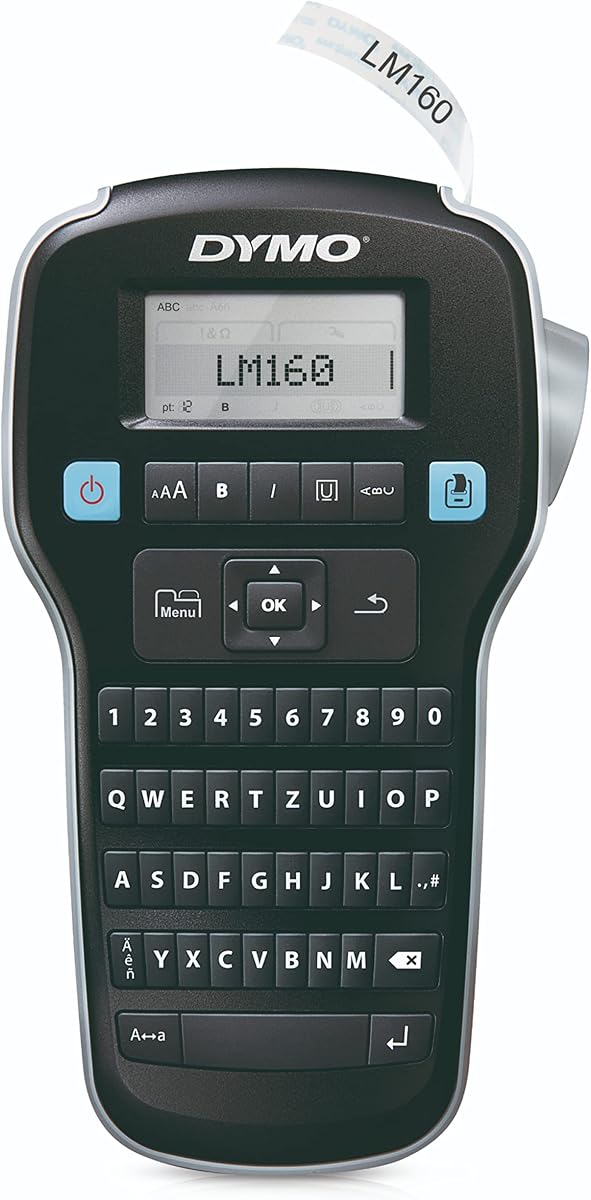
DYMO Label Maker LabelManager 160 Portable Label Maker
As an Amazon Associate I earn from qualifying purchases.
View DYMO Label Maker LabelManager 160 Portable Label Maker on AmazonYou pay the same either way.Specifications
| Controls | One-touch smart keys for bold and font size |
|---|---|
| Display | Large display to preview labels before printing |
| Form | Portable label maker |
| Tape | DYMO-specific cassettes (not interchangeable with Brother) |
Pros & cons
Pros
- One-touch smart keys speed up common formatting like bold or font size
- Large display previews each label before you commit it to tape
Cons
- Label cassettes are DYMO-specific and not interchangeable with Brother's
- As a standalone handheld, it offers less layout and font flexibility than a computer-connected labeler
Skip it if
Skip it if you already own Brother tape — DYMO cassettes are not interchangeable — or if you have no use for quick one-touch formatting keys.
How we assessed it
We synthesized this
The DYMO LabelManager 160 keeps formatting fast and visible. One-touch smart keys apply common changes like bold or font size in a single press, so you're not digging through menus, and the large display previews each label before you commit it to tape — no wasted strips from a typo. It's made for someone who labels regularly around the home or office and wants quick formatting with a clear preview.
Two honest trade-offs. Its label cassettes are DYMO-specific and don't interchange with Brother's, so switching brands means switching supplies. And as a standalone handheld, it gives less layout and font flexibility than a computer-connected labeler. Our read is a synthesis of the documented smart keys, display, and tape system and DYMO's LabelManager reputation, not a hands-on test — see how we test.