BenQ
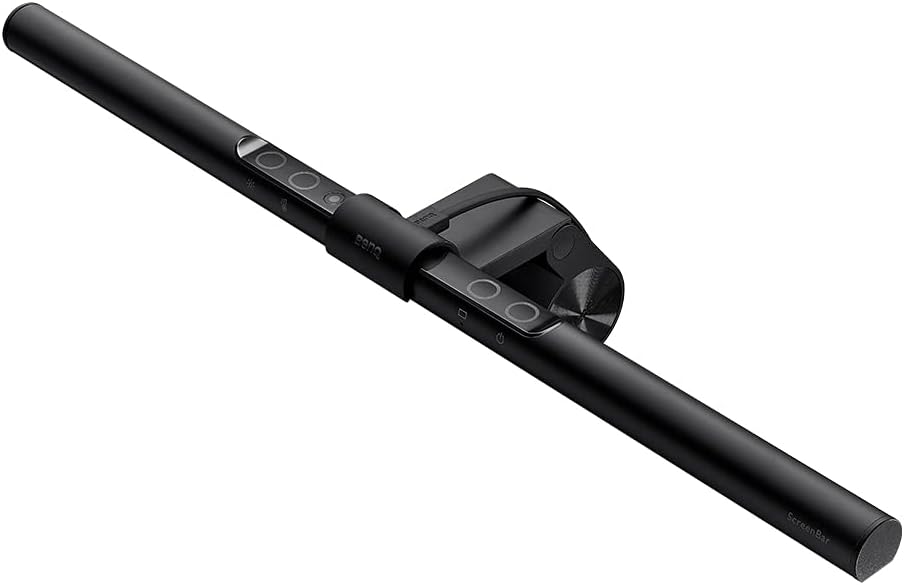
BenQ Screenbar E-Reading LED Computer Monitor Light Lamp, Matte Black
As an Amazon Associate I earn from qualifying purchases.
View BenQ Screenbar E-Reading LED Computer Monitor Light Lamp, Matte Black on AmazonYou pay the same either way.Specifications
| Mounting | Clips to the top edge of a monitor |
|---|---|
| Power | USB-powered |
| Desk footprint | Zero; no base on the desk |
| Glare control | Shines down on the desk, not at the screen |
Pros & cons
Pros
- Clips to the top of your monitor and shines down on the desk, cutting glare on video calls
- Takes zero desk footprint — no base eating into your workspace
- USB-powered for a simple, single-cable setup
Cons
- It only fits monitors with a compatible top edge to clip onto
- Being USB-powered, it uses up a USB port and only lights when that source has power
Skip it if
Skip it if your monitor lacks a compatible top edge to clip onto, or if you want a lamp that stands on the desk for reading away from the screen.
How we assessed it
We synthesized this
The BenQ ScreenBar solves a specific desk problem: it clips to the top edge of your monitor and shines down onto the desk instead of into the screen, so you get task light on video calls without glare washing out your display. Because it hangs off the monitor, it takes zero desk footprint — no base crowding your keyboard — and runs on USB for a simple, single-cable setup. It's the pick for desk workers on frequent video calls who are short on surface space.
The honest trade-off: it only fits monitors with a compatible top edge to clip onto, and being USB-powered it ties up a port and lights only when that source has power. If you want a lamp that stands on the desk for reading away from the screen, a desk lamp fits better. Our read synthesizes BenQ's documented design and the ScreenBar's reputation rather than a hands-on test.